
mcpr Cloud
mcpr Cloud turns your MCP proxy into a fully observable production system. It ingests structured events from mcpr and gives you the tools to understand, debug, and optimize your MCP server — before your users report a problem.
Sign up at cloud.mcpr.app.
The problem
Section titled “The problem”You’ve built an MCP server. AI clients are calling your tools. But you can’t answer basic questions:
- “Is my server healthy right now?” — No dashboard, no error rate, no latency percentiles.
- “Which tool is slow?” — Your server has 10 tools. One occasionally takes 5 seconds. You don’t know which.
- “Is this a server problem or a client problem?” — ChatGPT shows 0.9% errors but VS Code shows 4.8%.
- “What happened in this user’s session?” — A user reports “the tool didn’t work.” You can’t trace it.
- “When did the errors start?” — Your payment tool started failing. 10 minutes ago? 3 hours ago?
mcpr Cloud answers all of these.
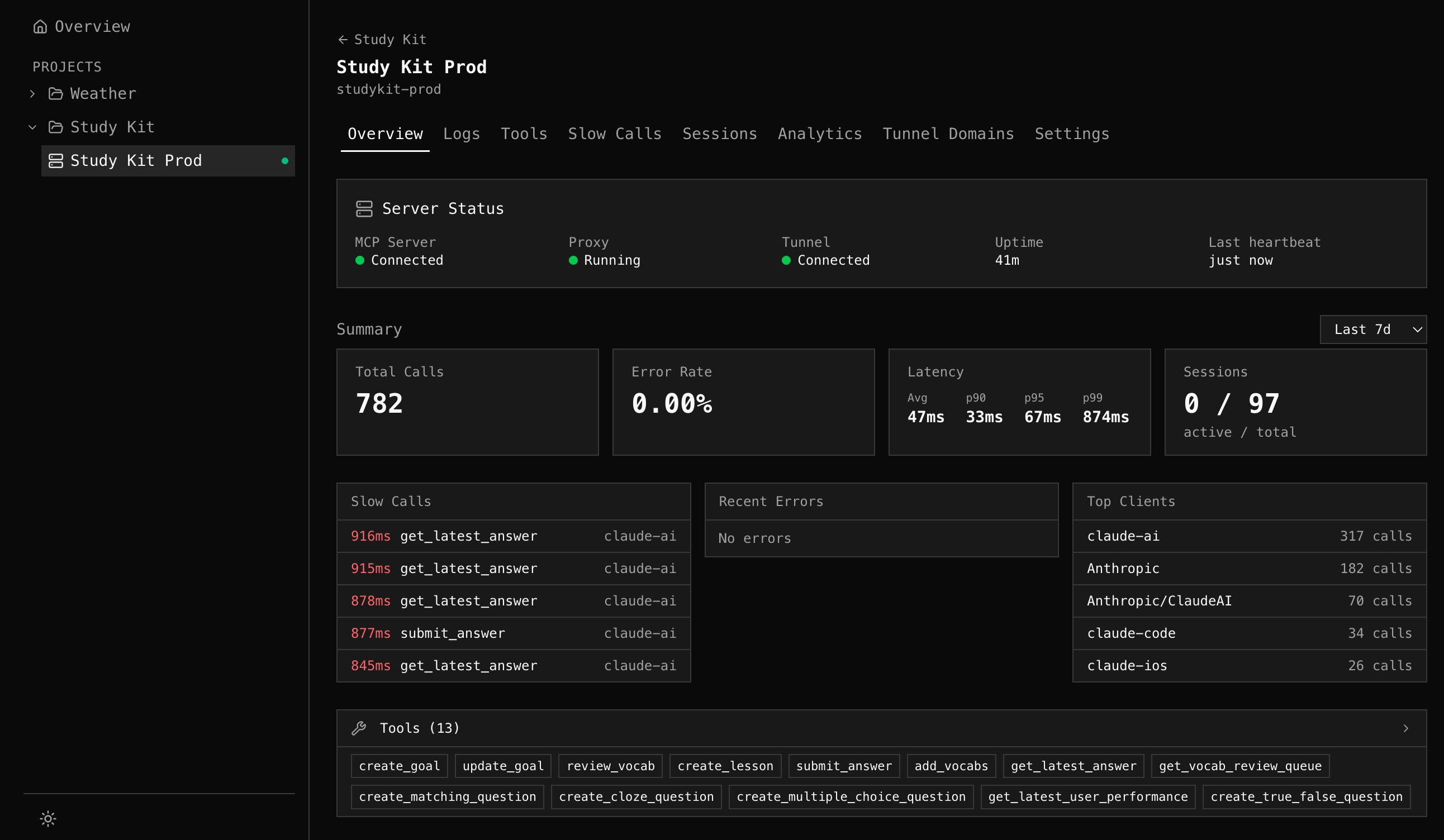
Server Page
Section titled “Server Page”When you open a server in mcpr Cloud, you get 8 tabs:
| Tab | Purpose |
|---|---|
| Overview | Server status, MCP schema, quick insights (slow calls, errors, clients) |
| Logs | Structured log search with Datadog-style query language and facet sidebar |
| Tools | MCP tool catalog with usage stats, schema versions, input schemas |
| Slow Calls | Top slowest tool calls for performance debugging |
| Sessions | Per-session drill-down to trace user conversations |
| Analytics | Traffic trends, tool usage charts, error rate, latency percentiles, client adoption |
| Tunnel Domains | Manage persistent tunnel endpoints for your server |
| Settings | Server name, slug, deletion |
Setup (one line)
Section titled “Setup (one line)”If you’re already running mcpr, add to your mcpr.toml:
[cloud]token = "mcpr_xxxxxxxx"server = "my-server"Events sync automatically. No schema setup, no database, no code change. The proxy emits, the cloud computes.
Get your token from cloud.mcpr.app.
What gets synced
Section titled “What gets synced”Event metadata only — tool parameters and response bodies are not included:
- Request timing (latency, upstream time)
- Tool name and MCP method
- Session ID and client info
- Error codes and messages
- Schema discovery responses (tool definitions, not call data)
Events are batched in memory and sent via HTTPS. If the cloud is unreachable, the proxy continues operating — cloud connectivity never blocks proxy operation.
What Cloud adds vs the proxy alone
Section titled “What Cloud adds vs the proxy alone”| Proxy (open source) | Cloud | |
|---|---|---|
| MCP routing + CSP | ✓ | — |
| Structured events to stderr | ✓ | — |
| Local SQLite event store | ✓ | — |
| Tunnel (random URL) | ✓ | — |
| Event storage + 90-day retention | — | ✓ |
| Server Overview (status, schema, insights) | — | ✓ |
| Structured log search with query language | — | ✓ |
| MCP schema tracking with version history | — | ✓ |
| Analytics charts (traffic, latency, errors) | — | ✓ |
| Slow call detection | — | ✓ |
| Session timeline + drill-down | — | ✓ |
| Studio (tool caller, widget preview) | — | ✓ |
| Persistent tunnel URLs + custom subdomains | — | ✓ |
Getting started
Section titled “Getting started”- Sign up at cloud.mcpr.app
- Create a project and server
- Get your cloud token
- Add to
mcpr.toml:
mcp = "http://localhost:9000"
[cloud]token = "mcpr_xxxxxxxx"server = "my-server"- Run
mcpr proxy run mcpr.toml— events sync automatically - Open your server in cloud.mcpr.app
Next steps
Section titled “Next steps”- Server Overview — status, schema, quick insights
- Logs — search and filter events
- Tools — explore your MCP schema
- Analytics — traffic trends and charts
- Studio — test your MCP server in the browser