
What is mcpr?
mcpr is an observability-first proxy for MCP servers. It sits in front of your MCP app (think nginx, kong) and parses every JSON-RPC message — so it can record per-tool metrics, capture sessions, track schema drift, and rewrite CSP for MCP Apps in ways generic proxies can’t.
Written in Rust. Minimal overhead. Single binary, zero dependencies.
Most MCP proxies sit on the client side, aggregating multiple servers for a single client. mcpr sits on the server side — in front of your MCP app — so you can see what AI clients actually do with it. Your application code stays focused on business logic while mcpr records every tool call and absorbs policy differences between AI clients (ChatGPT, Claude, Copilot).
curl -fsSL https://mcpr.app/install.sh | shmcpr proxy setupWhy use mcpr
Section titled “Why use mcpr”- Tool-level performance is invisible from app logs. mcpr records every MCP call with latency, status, and payload size, then surfaces slow calls and per-tool error rates — no app-side instrumentation.
- Session flow is hidden inside your handlers. mcpr ties each call to its session, AI client, and tool-call sequence, so you can see how clients actually use your MCP.
- Schema drift breaks agents silently. mcpr records
tools/listresponses as they pass through and flags added, modified, or unused tools over time. - CSP rules differ per AI client. ChatGPT reads
openai/widgetCSP, Claude readsui.csp, and each interprets domains differently. mcpr rewrites CSP per client so your app emits one format. - Testing against real AI clients is painful. mcpr ships a tunnel client that exposes a local MCP app to ChatGPT or Claude over HTTPS, plus MCPR Studio to exercise tool calls before release.
What it does
Section titled “What it does”- Observability — Per-tool stats: call count, error rate, p50/p95/max latency, bytes in/out. Slow-call and error logs queryable from the CLI, backed by local SQLite, no external dependencies.
- Sessions & clients — Ties each call to its session, AI client, and tool-call sequence. See how each client and user actually flows through your tools.
- Schema capture — Records
tools/list,resources/list, andprompts/listas they pass through. Tracks changes over time and flags tools that are registered but never called. - Routing — One upstream MCP app per proxy instance today. MCP-aware classification of tool calls, resource reads, and lifecycle methods. JSON-RPC requests go to the upstream MCP server; non-MCP traffic is forwarded as-is.
- Widget CSP — Understands MCP Apps (ChatGPT Apps, Claude connectors). Rewrites CSP across three directives (
connectDomains,resourceDomains,frameDomains) with per-directiveextend/replacemodes, plus glob-matched widget overrides. Change CSP at the proxy — no server redeploy. - Authentication (in progress) — OAuth 2.1 and API key support at the proxy layer. Your server will receive a verified
x-user-idinstead of implementing its own auth flow.

Dashboard
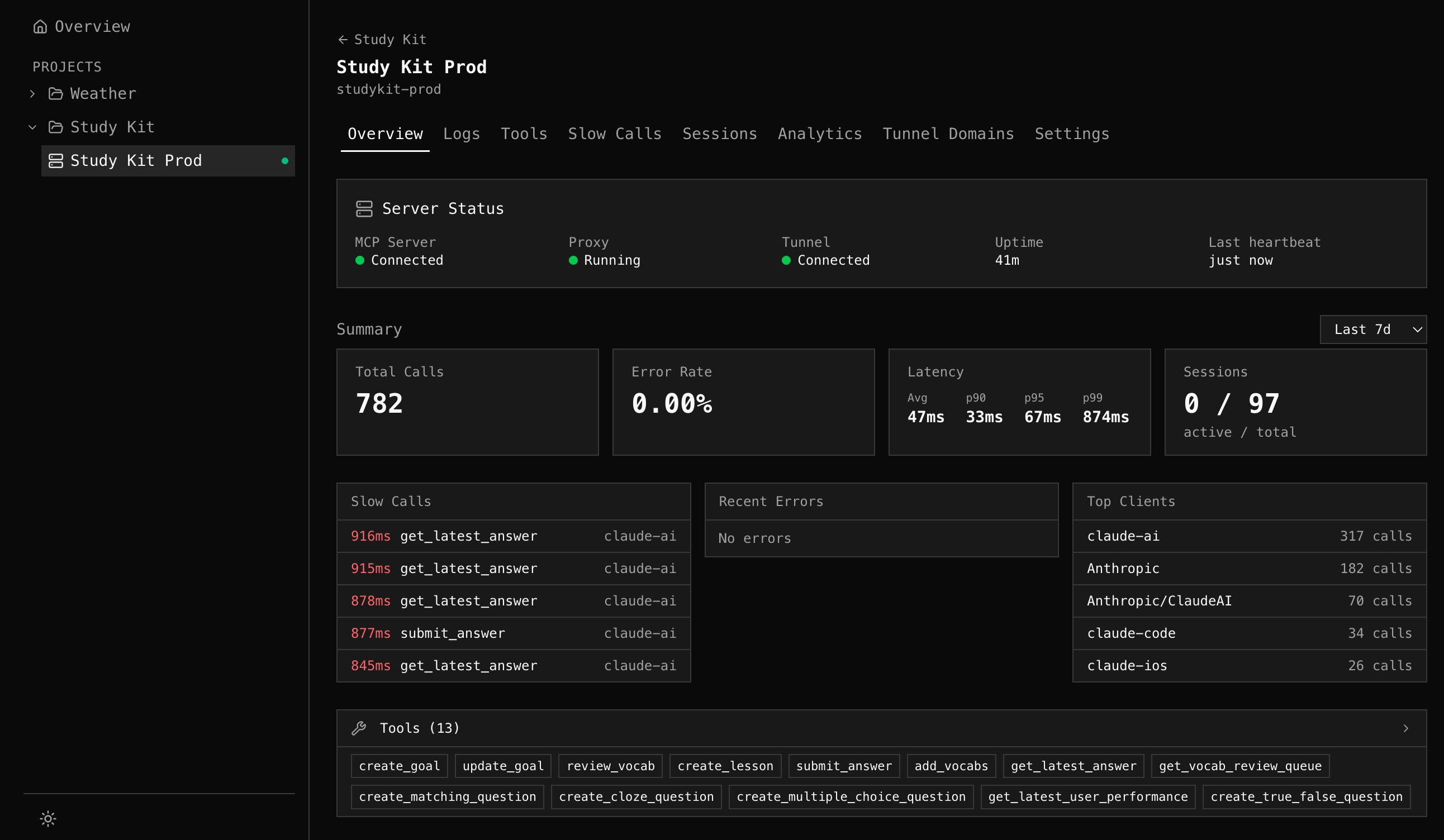
Section titled “Dashboard”Visualize everything flowing through your proxies. Tool health, latency percentiles, slow calls, error grouping, session timelines, and client breakdown — across all your MCP servers in one place. Powered by mcpr Cloud.
Studio
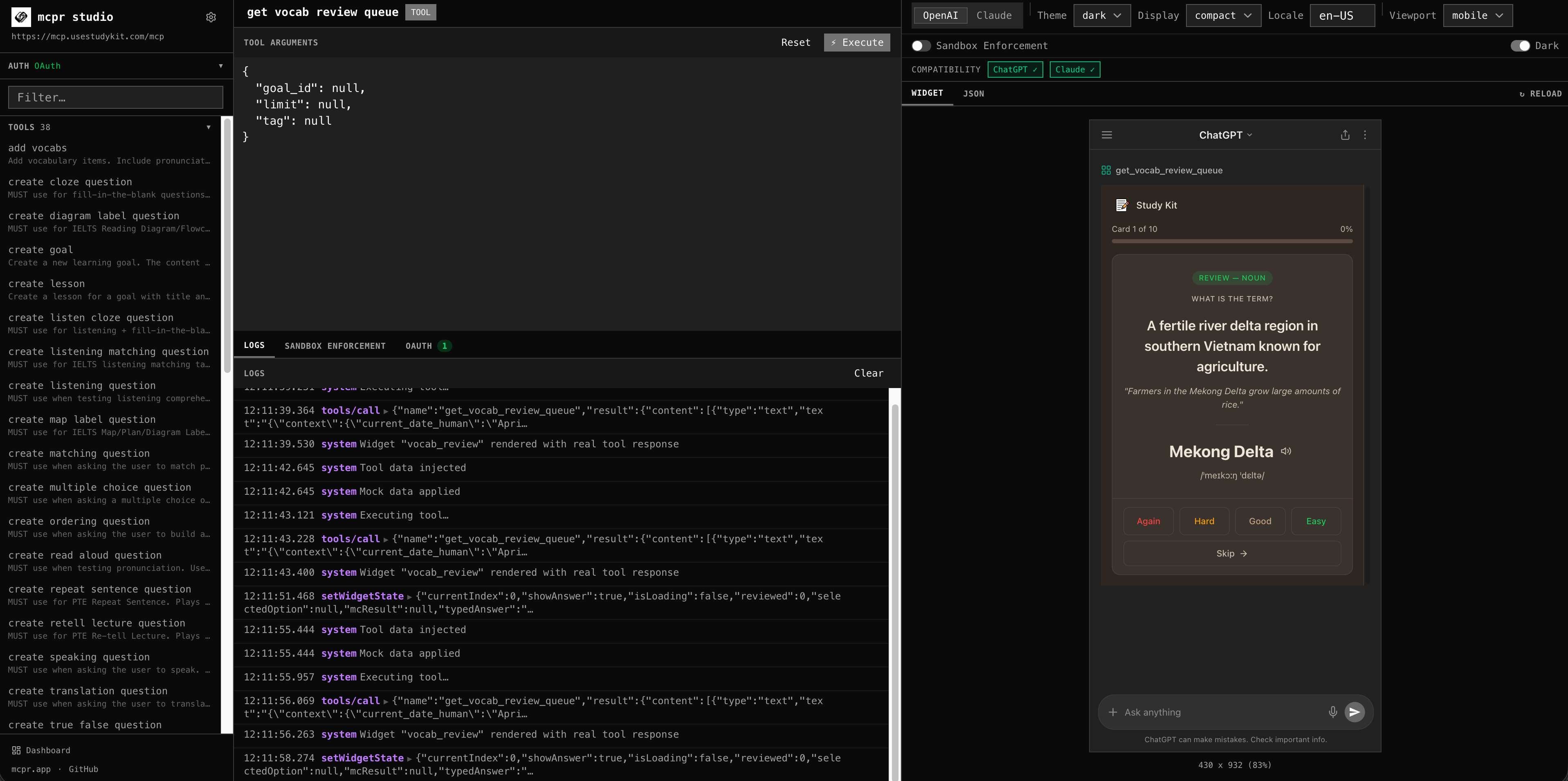
Section titled “Studio”Debug your MCP server and app before you ship. Call any tool, preview widgets with real CSP enforcement, simulate ChatGPT and Claude sandboxes — all from the browser, no API key needed. Catch issues before your users do.
Tunnel & Relay
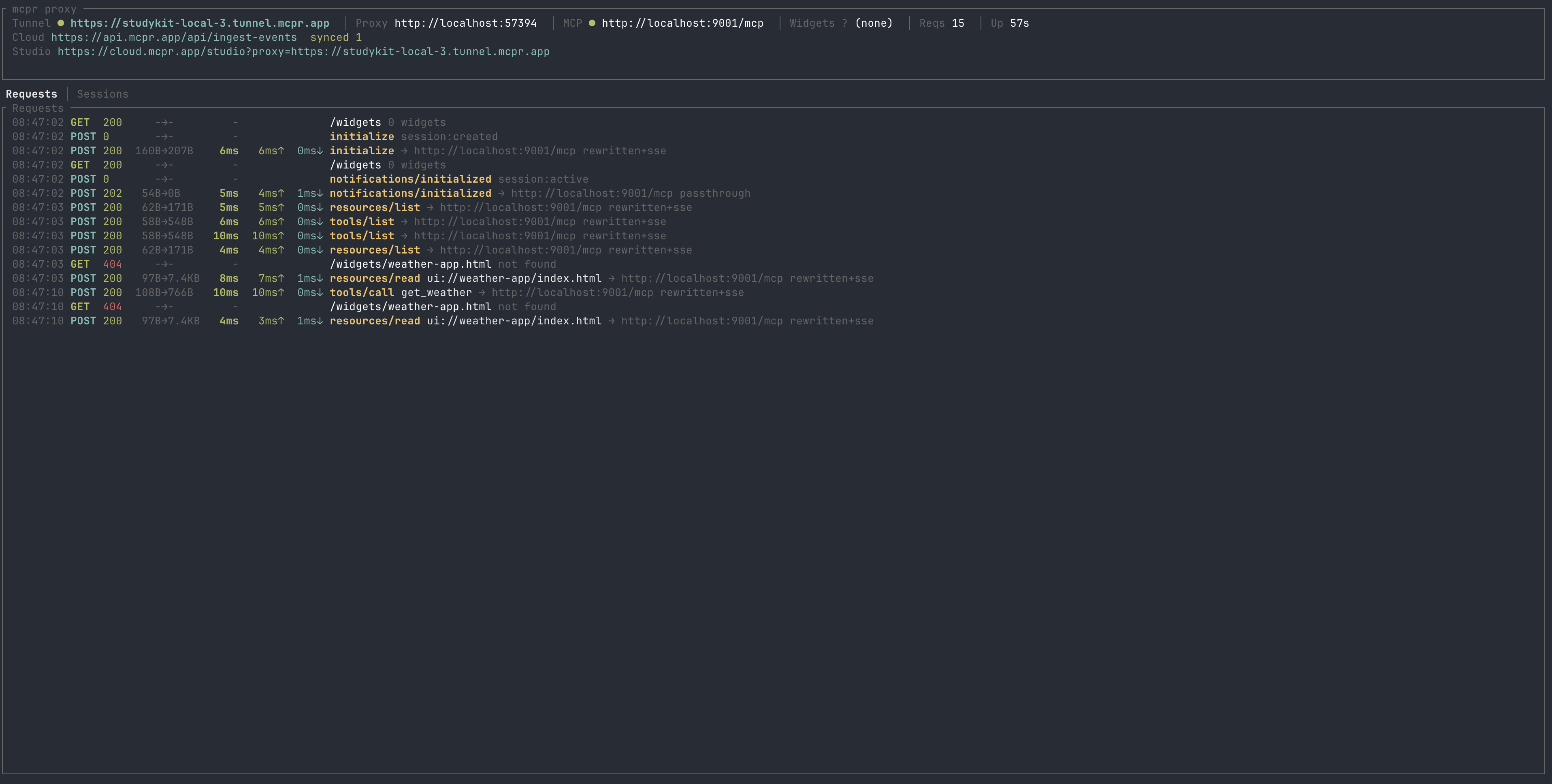
Section titled “Tunnel & Relay”Publish your local MCP server to a public HTTPS URL. Share with your team, demo to stakeholders, or test directly inside ChatGPT and Claude — no deploy, no ngrok. Stable URL across restarts. Self-host your own relay for full control.
The proxy is open source (Apache 2.0). Dashboard, Studio, and managed tunnels are available at cloud.mcpr.app.
Next steps
Section titled “Next steps”- Install — one command, under 30 seconds
- Setup Guide — four steps to Cloud observability
- Quickstart — first proxy running in 2 minutes